
Master AI Artistry, Not Just Prompts.
AstraLeap AI
AstraLeap AI
Join countless learners who are harnessing the power of AI. Our courses are designed to equip you with essential skills, guiding you towards proficiency and success in an ever-evolving landscape.
Join countless learners who are harnessing the power of AI. Our courses are designed to equip you with essential skills, guiding you towards proficiency and success in an ever-evolving landscape.
Join countless learners who are harnessing the power of AI. Our courses are designed to equip you with essential skills, guiding you towards proficiency and success in an ever-evolving landscape.
5.0 Rating from Early Access Users
— Validated by designers, storytellers, and digital artists.
5.0 Rating from Early Access Users
— Validated by designers, storytellers, and digital artists.
5.0 Rating from Early Access Users
— Validated by designers, storytellers, and digital artists.

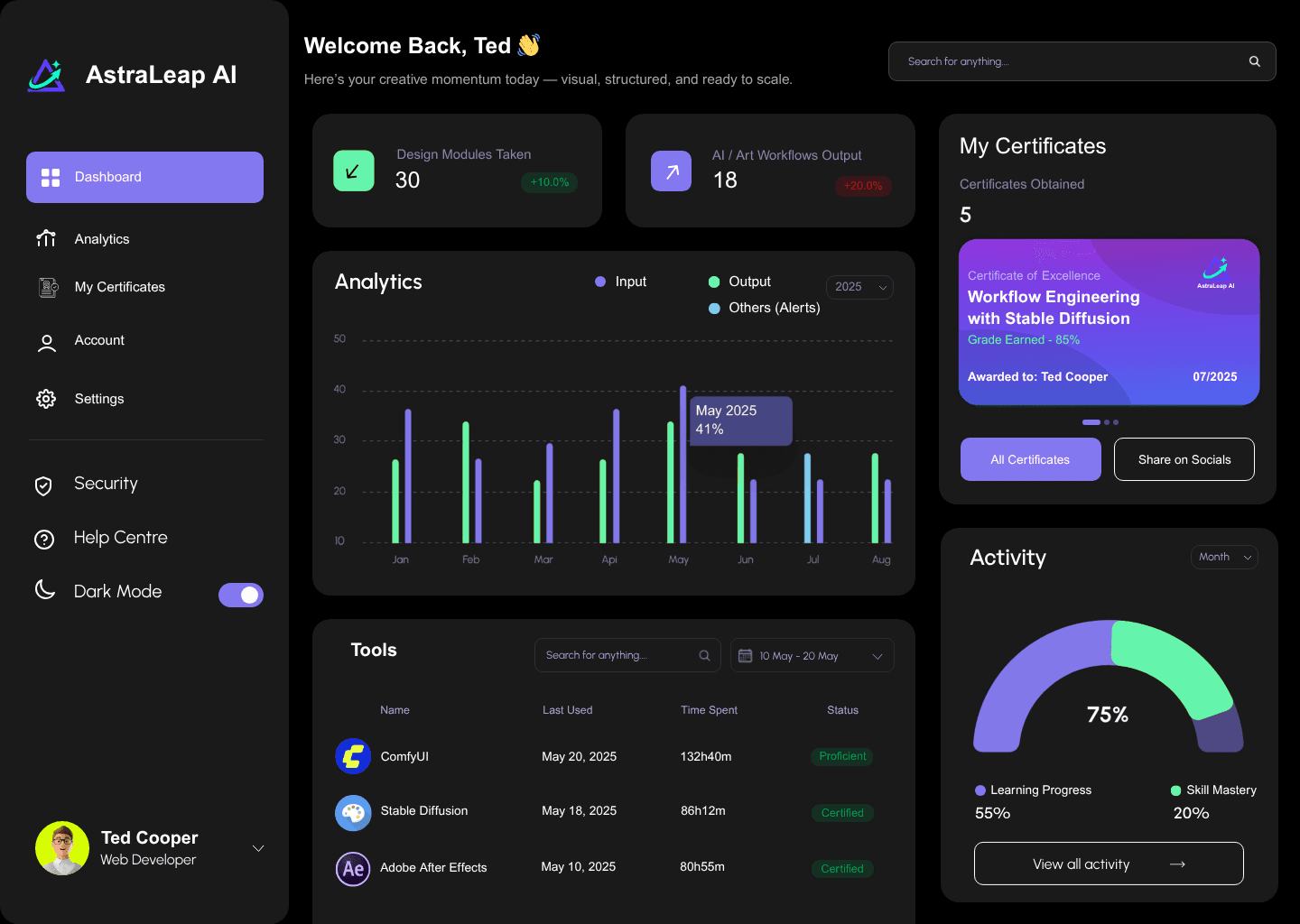
WHY US
Building Success
Trusted by Learners from Global Leading Institutions to Upskill
WHY US
Building Success
Trusted by Learners from Global Leading Institutions to Upskill















At AstraLeap AI, we believe that mastering creative AI tools should feel intuitive — not overwhelming.
At AstraLeap AI, we believe that mastering creative AI tools should feel intuitive — not overwhelming.
At AstraLeap AI, we believe that mastering creative AI tools should feel intuitive — not overwhelming.
At AstraLeap AI, we believe that mastering creative AI tools should feel intuitive — not overwhelming.
“We started AstraLeap AI because too many people are overwhelmed by AI tools, but still want to create. Our goal is to make powerful creative workflows feel accessible — structured, beautiful, and actually fun to learn.”

Dr. Daniel Y. Liu
Founder of AstraLeap AI
The Future of
AI Art Creation
AI Tool Support
20%
Human
Aesthetic
Judgment
Human
Aesthetic
Judgment
Human
Aesthetic
Judgment
STEP
01
TD | Projection Mapping
Try the $2 Pilot Course (TouchDesigner)
Build a glasses-free 3D effect in TouchDesigner. Map animated visuals to a cube using Stoner, add motion & light, and bake the warp so it reopens reliably.
STEP
02
Downloads
Free Starter Kits
Kickstart your stack with ready-to-use assets. Designed to match our lessons and stay useful as you level up.
STEP
03
Choose Your Route
Paths & Bundles
Start where you are; finish where you want to be. Pair paths for Taste + Craft, go Realtime, or get the Complete Suite.
STEP
04
PDFs & Community
Syllabi & Support
Read the detailed curriculum PDFs for each path. Join the community, ask questions, and learn with confidence.
STEP
01
TD | Projection Mapping
Try the $2 Pilot Course (TouchDesigner)
Build a glasses-free 3D effect in TouchDesigner. Map animated visuals to a cube using Stoner, add motion & light, and bake the warp so it reopens reliably.
STEP
02
Downloads
Free Starter Kits
Kickstart your stack with ready-to-use assets. Designed to match our lessons and stay useful as you level up.
STEP
03
Choose Your Route
Paths & Bundles
Start where you are; finish where you want to be. Pair paths for Taste + Craft, go Realtime, or get the Complete Suite.
STEP
04
PDFs & Community
Syllabi & Support
Read the detailed curriculum PDFs for each path. Join the community, ask questions, and learn with confidence.
STEP
01
TD | Projection Mapping
Try the $2 Pilot Course (TouchDesigner)
Build a glasses-free 3D effect in TouchDesigner. Map animated visuals to a cube using Stoner, add motion & light, and bake the warp so it reopens reliably.
STEP
02
Downloads
Free Starter Kits
Kickstart your stack with ready-to-use assets. Designed to match our lessons and stay useful as you level up.
STEP
03
Choose Your Route
Paths & Bundles
Start where you are; finish where you want to be. Pair paths for Taste + Craft, go Realtime, or get the Complete Suite.
STEP
04
PDFs & Community
Syllabi & Support
Read the detailed curriculum PDFs for each path. Join the community, ask questions, and learn with confidence.
STEP
01
TD | Projection Mapping
Try the $2 Pilot Course (TouchDesigner)
Build a glasses-free 3D effect in TouchDesigner. Map animated visuals to a cube using Stoner, add motion & light, and bake the warp so it reopens reliably.
STEP
02
Downloads
Free Starter Kits
Kickstart your stack with ready-to-use assets. Designed to match our lessons and stay useful as you level up.
STEP
03
Choose Your Route
Paths & Bundles
Start where you are; finish where you want to be. Pair paths for Taste + Craft, go Realtime, or get the Complete Suite.
STEP
04
PDFs & Community
Syllabi & Support
Read the detailed curriculum PDFs for each path. Join the community, ask questions, and learn with confidence.
STEP
01
TD | Projection Mapping
Try the $2 Pilot Course (TouchDesigner)
Build a glasses-free 3D effect in TouchDesigner. Map animated visuals to a cube using Stoner, add motion & light, and bake the warp so it reopens reliably.
STEP
02
Downloads
Free Starter Kits
Kickstart your stack with ready-to-use assets. Designed to match our lessons and stay useful as you level up.
STEP
03
Choose Your Route
Paths & Bundles
Start where you are; finish where you want to be. Pair paths for Taste + Craft, go Realtime, or get the Complete Suite.
STEP
04
PDFs & Community
Syllabi & Support
Read the detailed curriculum PDFs for each path. Join the community, ask questions, and learn with confidence.
STEP
01
TD | Projection Mapping
Try the $2 Pilot Course (TouchDesigner)
Build a glasses-free 3D effect in TouchDesigner. Map animated visuals to a cube using Stoner, add motion & light, and bake the warp so it reopens reliably.
STEP
02
Downloads
Free Starter Kits
Kickstart your stack with ready-to-use assets. Designed to match our lessons and stay useful as you level up.
STEP
03
Choose Your Route
Paths & Bundles
Start where you are; finish where you want to be. Pair paths for Taste + Craft, go Realtime, or get the Complete Suite.
STEP
04
PDFs & Community
Syllabi & Support
Read the detailed curriculum PDFs for each path. Join the community, ask questions, and learn with confidence.
STEP
01
TD | Projection Mapping
Try the $2 Pilot Course (TouchDesigner)
Build a glasses-free 3D effect in TouchDesigner. Map animated visuals to a cube using Stoner, add motion & light, and bake the warp so it reopens reliably.
STEP
02
Downloads
Free Starter Kits
Kickstart your stack with ready-to-use assets. Designed to match our lessons and stay useful as you level up.
STEP
03
Choose Your Route
Paths & Bundles
Start where you are; finish where you want to be. Pair paths for Taste + Craft, go Realtime, or get the Complete Suite.
STEP
04
PDFs & Community
Syllabi & Support
Read the detailed curriculum PDFs for each path. Join the community, ask questions, and learn with confidence.
STEP
01
TD | Projection Mapping
Try the $2 Pilot Course (TouchDesigner)
Build a glasses-free 3D effect in TouchDesigner. Map animated visuals to a cube using Stoner, add motion & light, and bake the warp so it reopens reliably.
STEP
02
Downloads
Free Starter Kits
Kickstart your stack with ready-to-use assets. Designed to match our lessons and stay useful as you level up.
STEP
03
Choose Your Route
Paths & Bundles
Start where you are; finish where you want to be. Pair paths for Taste + Craft, go Realtime, or get the Complete Suite.
STEP
04
PDFs & Community
Syllabi & Support
Read the detailed curriculum PDFs for each path. Join the community, ask questions, and learn with confidence.
STEP
01
TD | Projection Mapping
Try the $2 Pilot Course (TouchDesigner)
Build a glasses-free 3D effect in TouchDesigner. Map animated visuals to a cube using Stoner, add motion & light, and bake the warp so it reopens reliably.
STEP
02
Downloads
Free Starter Kits
Kickstart your stack with ready-to-use assets. Designed to match our lessons and stay useful as you level up.
STEP
03
Choose Your Route
Paths & Bundles
Start where you are; finish where you want to be. Pair paths for Taste + Craft, go Realtime, or get the Complete Suite.
STEP
04
PDFs & Community
Syllabi & Support
Read the detailed curriculum PDFs for each path. Join the community, ask questions, and learn with confidence.
STEP
01
TD | Projection Mapping
Try the $2 Pilot Course (TouchDesigner)
Build a glasses-free 3D effect in TouchDesigner. Map animated visuals to a cube using Stoner, add motion & light, and bake the warp so it reopens reliably.
STEP
02
Downloads
Free Starter Kits
Kickstart your stack with ready-to-use assets. Designed to match our lessons and stay useful as you level up.
STEP
03
Choose Your Route
Paths & Bundles
Start where you are; finish where you want to be. Pair paths for Taste + Craft, go Realtime, or get the Complete Suite.
STEP
04
PDFs & Community
Syllabi & Support
Read the detailed curriculum PDFs for each path. Join the community, ask questions, and learn with confidence.
STEP
01
TD | Projection Mapping
Try the $2 Pilot Course (TouchDesigner)
Build a glasses-free 3D effect in TouchDesigner. Map animated visuals to a cube using Stoner, add motion & light, and bake the warp so it reopens reliably.
STEP
02
Downloads
Free Starter Kits
Kickstart your stack with ready-to-use assets. Designed to match our lessons and stay useful as you level up.
STEP
03
Choose Your Route
Paths & Bundles
Start where you are; finish where you want to be. Pair paths for Taste + Craft, go Realtime, or get the Complete Suite.
STEP
04
PDFs & Community
Syllabi & Support
Read the detailed curriculum PDFs for each path. Join the community, ask questions, and learn with confidence.
STEP
01
TD | Projection Mapping
Try the $2 Pilot Course (TouchDesigner)
Build a glasses-free 3D effect in TouchDesigner. Map animated visuals to a cube using Stoner, add motion & light, and bake the warp so it reopens reliably.
STEP
02
Downloads
Free Starter Kits
Kickstart your stack with ready-to-use assets. Designed to match our lessons and stay useful as you level up.
STEP
03
Choose Your Route
Paths & Bundles
Start where you are; finish where you want to be. Pair paths for Taste + Craft, go Realtime, or get the Complete Suite.
STEP
04
PDFs & Community
Syllabi & Support
Read the detailed curriculum PDFs for each path. Join the community, ask questions, and learn with confidence.
STEP
01
TD | Projection Mapping
Try the $2 Pilot Course (TouchDesigner)
Build a glasses-free 3D effect in TouchDesigner. Map animated visuals to a cube using Stoner, add motion & light, and bake the warp so it reopens reliably.
STEP
02
Downloads
Free Starter Kits
Kickstart your stack with ready-to-use assets. Designed to match our lessons and stay useful as you level up.
STEP
03
Choose Your Route
Paths & Bundles
Start where you are; finish where you want to be. Pair paths for Taste + Craft, go Realtime, or get the Complete Suite.
STEP
04
PDFs & Community
Syllabi & Support
Read the detailed curriculum PDFs for each path. Join the community, ask questions, and learn with confidence.
STEP
01
TD | Projection Mapping
Try the $2 Pilot Course (TouchDesigner)
Build a glasses-free 3D effect in TouchDesigner. Map animated visuals to a cube using Stoner, add motion & light, and bake the warp so it reopens reliably.
STEP
02
Downloads
Free Starter Kits
Kickstart your stack with ready-to-use assets. Designed to match our lessons and stay useful as you level up.
STEP
03
Choose Your Route
Paths & Bundles
Start where you are; finish where you want to be. Pair paths for Taste + Craft, go Realtime, or get the Complete Suite.
STEP
04
PDFs & Community
Syllabi & Support
Read the detailed curriculum PDFs for each path. Join the community, ask questions, and learn with confidence.
STEP
01
TD | Projection Mapping
Try the $2 Pilot Course (TouchDesigner)
Build a glasses-free 3D effect in TouchDesigner. Map animated visuals to a cube using Stoner, add motion & light, and bake the warp so it reopens reliably.
STEP
02
Downloads
Free Starter Kits
Kickstart your stack with ready-to-use assets. Designed to match our lessons and stay useful as you level up.
STEP
03
Choose Your Route
Paths & Bundles
Start where you are; finish where you want to be. Pair paths for Taste + Craft, go Realtime, or get the Complete Suite.
STEP
04
PDFs & Community
Syllabi & Support
Read the detailed curriculum PDFs for each path. Join the community, ask questions, and learn with confidence.
STEP
01
TD | Projection Mapping
Try the $2 Pilot Course (TouchDesigner)
Build a glasses-free 3D effect in TouchDesigner. Map animated visuals to a cube using Stoner, add motion & light, and bake the warp so it reopens reliably.
STEP
02
Downloads
Free Starter Kits
Kickstart your stack with ready-to-use assets. Designed to match our lessons and stay useful as you level up.
STEP
03
Choose Your Route
Paths & Bundles
Start where you are; finish where you want to be. Pair paths for Taste + Craft, go Realtime, or get the Complete Suite.
STEP
04
PDFs & Community
Syllabi & Support
Read the detailed curriculum PDFs for each path. Join the community, ask questions, and learn with confidence.
Back the Course. Master the Tools. Build With Purpose.
Back the Course. Master the Tools. Build With Purpose.
Back the Course. Master the Tools. Build With Purpose.
Back the Course. Master the Tools. Build With Purpose.
Our courses are designed to provide you with practical skills and knowledge, making it easier for you to excel in today’s tech landscape.
Our courses are designed to provide you with practical skills and knowledge, making it easier for you to excel in today’s tech landscape.
Our courses are designed to provide you with practical skills and knowledge, making it easier for you to excel in today’s tech landscape.
Our courses are designed to provide you with practical skills and knowledge, making it easier for you to excel in today’s tech landscape.
AI Creative Assistant - Astra
On Call, Anytime
With AstraLeap AI, every learner has an AI agent ready to help. Describe what you saw, what you want to make, or the effect you’re after — your assistant will identify the best tools, workflows, and modules to get you there fast.

AstraLeap AI combines cutting-edge creative tools with on-demand guidance. Whether you’re on the move, in the studio, or just inspired by something you’ve seen, your AI assistant will point you to the right method — and our tailored courses make sure you can master it.
BENEFITS
Build your Creative AI Stack
The exact tools and workflows you’ll master across our four learning paths.
1. Prompt-Driven Scriptwriting
12. Business & Monetization
3. SDXL Workflow Engineering
4. Photoshop Visual Polish
11. Delivery & QC
2. Generative Storyboarding
10. Batch & Automation
6. Realtime Visuals & Sensors
9. Look-Dev & Color Management
7. Python + APIs & Sockets
8. AI-Driven Personalization
5. Runway Gen-3 Motion
TOOL STACKS
The exact AI tools and workflows you’ll master across our four learning paths— from prompting and SDXL pipelines to Runway motion, TouchDesigner realtime, and client-ready delivery.
TOOL STACKS
The exact AI tools and workflows you’ll master across our four learning paths— from prompting and SDXL pipelines to Runway motion, TouchDesigner realtime, and client-ready delivery.
AstraLeap
AstraLeap
Tool Stacks
Tool Stacks
Prompt-Driven Scriptwriting
Tool(s): ChatGPT "Turn vague ideas into tight briefs, shot prompts, and alt takes." You’ll learn: prompt frames, tone control, story beats, alt concept sets. Used in: Path 1, Path 2, Path 4. Downloads & Toolkits: Prompt Fundamentals Cheat Sheet (Free).
Generative Storyboarding
Tool(s): MidJourney "Fast visual boards that sell the idea before production." You’ll learn: style references, blending, composition prompts, hero/alt frames. Used in: Path 1, Path 2. Downloads & Toolkits: Style-Tiles Template (Free).
SDXL Workflow Engineering
Tool(s): Stable Diffusion (SDXL), ComfyUI "Reproducible, scalable image pipelines for pro delivery." You’ll learn: node graphs, ControlNet, SDXL Refiner, seed logging. Used in: Path 2. Downloads & Toolkits: ComfyUI Starter Graphs (Free).
Photoshop Visual Polish
Tool(s): Photoshop / Photopea "Clean plates, perfect edges, cohesive look in minutes." You’ll learn: smart objects, cut-outs, super-resolution, texture fixes. Used in: Path 1, Path 2, Path 4. Downloads & Toolkits: Polish & Upscale Actions (Included).
Runway Gen-3 Motion
Tool(s): Runway "Logo loops, micro-ads, image-to-video shots with control." You’ll learn: Motion Brush, sequencing, artifact control, export specs. Used in: Path 2, Path 4. Downloads & Toolkits: Spot Builder Shot List (Included).
Realtime Visuals & Sensors
Tool(s): TouchDesigner "Live, audio-reactive scenes and data-driven visuals." You’ll learn: CHOP/TOP basics, parameter mapping, preset morphs. Used in: Path 3. Downloads & Toolkits: Signal Playground .toe (Free).
Python + APIs & Sockets
Tool(s): Python, WebSockets/OSC "Bring web/IoT/sensor data into your visuals in real time." You’ll learn: REST vs WebSocket, OSC bridges, validation & smoothing. Used in: Path 3. Downloads & Toolkits: WebSocket/OSC Mini-Server (Free).
AI-Driven Personalization
Tool(s): Vision/ASR + LLMs (concept level) "Adapt visuals to pose, voice, or keywords responsibly." You’ll learn: intent-to-parameters mapping, safe defaults, privacy considerations. Used in: Path 3. Downloads & Toolkits: Prompt-to-Param Presets (Included).
Look-Dev & Color Management
Tool(s): LUTs, Photoshop/After Effects "Consistent brand look across sets and channels." You’ll learn: ACES/Filmic basics, LUT pipelines, finishing passes. Used in: Path 2, Path 4. Downloads & Toolkits: LUT Mini-Pack (Free).
Batch & Automation
Tool(s): ComfyUI Queues, Photoshop Actions "Multiply output without multiplying headaches." You’ll learn: prompt lists, job queues, droplets, watch folders. Used in: Path 2. Downloads & Toolkits: Batch Scripts & Actions (Included).
Delivery & QC
Tool(s): Media Encoder / Photoshop / After Effects + Spec Tables "Zero surprises at handoff—spec-perfect every time." You’ll learn: platform specs, naming/versioning, artifact checks. Used in: Path 2, Path 4. Downloads & Toolkits: QC Checklist + Spec Tables (Free).
Business & Monetization
Tool(s): Proposal / SOW / Contract Templates, Pricing Calculator "Package, price, pitch, and deliver—professionally." You’ll learn: value-based pricing, scope control, objection handling. Used in: Path 4. Downloads & Toolkits: Proposal Lite + Pricing Calculator (Free).
Prompt-Driven Scriptwriting
Tool(s): ChatGPT "Turn vague ideas into tight briefs, shot prompts, and alt takes." You’ll learn: prompt frames, tone control, story beats, alt concept sets. Used in: Path 1, Path 2, Path 4. Downloads & Toolkits: Prompt Fundamentals Cheat Sheet (Free).
Generative Storyboarding
Tool(s): MidJourney "Fast visual boards that sell the idea before production." You’ll learn: style references, blending, composition prompts, hero/alt frames. Used in: Path 1, Path 2. Downloads & Toolkits: Style-Tiles Template (Free).
SDXL Workflow Engineering
Tool(s): Stable Diffusion (SDXL), ComfyUI "Reproducible, scalable image pipelines for pro delivery." You’ll learn: node graphs, ControlNet, SDXL Refiner, seed logging. Used in: Path 2. Downloads & Toolkits: ComfyUI Starter Graphs (Free).
Prompt-Driven Scriptwriting
Tool(s): ChatGPT "Turn vague ideas into tight briefs, shot prompts, and alt takes." You’ll learn: prompt frames, tone control, story beats, alt concept sets. Used in: Path 1, Path 2, Path 4. Downloads & Toolkits: Prompt Fundamentals Cheat Sheet (Free).
Generative Storyboarding
Tool(s): MidJourney "Fast visual boards that sell the idea before production." You’ll learn: style references, blending, composition prompts, hero/alt frames. Used in: Path 1, Path 2. Downloads & Toolkits: Style-Tiles Template (Free).
SDXL Workflow Engineering
Tool(s): Stable Diffusion (SDXL), ComfyUI "Reproducible, scalable image pipelines for pro delivery." You’ll learn: node graphs, ControlNet, SDXL Refiner, seed logging. Used in: Path 2. Downloads & Toolkits: ComfyUI Starter Graphs (Free).
Prompt-Driven Scriptwriting
Tool(s): ChatGPT "Turn vague ideas into tight briefs, shot prompts, and alt takes." You’ll learn: prompt frames, tone control, story beats, alt concept sets. Used in: Path 1, Path 2, Path 4. Downloads & Toolkits: Prompt Fundamentals Cheat Sheet (Free).
Generative Storyboarding
Tool(s): MidJourney "Fast visual boards that sell the idea before production." You’ll learn: style references, blending, composition prompts, hero/alt frames. Used in: Path 1, Path 2. Downloads & Toolkits: Style-Tiles Template (Free).
SDXL Workflow Engineering
Tool(s): Stable Diffusion (SDXL), ComfyUI "Reproducible, scalable image pipelines for pro delivery." You’ll learn: node graphs, ControlNet, SDXL Refiner, seed logging. Used in: Path 2. Downloads & Toolkits: ComfyUI Starter Graphs (Free).
LEARNING PATHS
4 Tailored Learning Paths
Choose one path—or master all four for a complete creative stack.
LEARNING PATHS
4 Tailored Learning Paths
Choose one path—or master all four for a complete creative stack.
LEARNING PATHS
4 Tailored Learning Paths
Choose one path—or master all four for a complete creative stack.
LEARNING PATHS
4 Tailored Learning Paths
Choose one path—or master all four for a complete creative stack.
Prompting
Storyboards
Visual Polish

1. Creative AI Foundations
Build a strong, practical base for your AI art journey. ⦾ Who it’s for • Beginners and emerging creators curious about AI art tools. Perfect for hobbyists, students, and creative professionals looking to integrate AI into their workflow for the first time. ⦾ Outcomes • Understand the AI art landscape and key tools (MidJourney, Stable Diffusion, ChatGPT). • Master effective prompt construction for diverse visual styles. • Confidently create original images using beginner-friendly interfaces. • Apply basic visual polish for social media or portfolio presentation. • Complete a cohesive mini-project that showcases your new skills. ⦾ Duration • 6–8 weeks, ~2–3 h/week.
1. Creative AI Foundations
Build a strong, practical base for your AI art journey. ⦾ Who it’s for • Beginners and emerging creators curious about AI art tools. Perfect for hobbyists, students, and creative professionals looking to integrate AI into their workflow for the first time. ⦾ Outcomes • Understand the AI art landscape and key tools (MidJourney, Stable Diffusion, ChatGPT). • Master effective prompt construction for diverse visual styles. • Confidently create original images using beginner-friendly interfaces. • Apply basic visual polish for social media or portfolio presentation. • Complete a cohesive mini-project that showcases your new skills. ⦾ Duration • 6–8 weeks, ~2–3 h/week.
1. Creative AI Foundations
Build a strong, practical base for your AI art journey. ⦾ Who it’s for • Beginners and emerging creators curious about AI art tools. Perfect for hobbyists, students, and creative professionals looking to integrate AI into their workflow for the first time. ⦾ Outcomes • Understand the AI art landscape and key tools (MidJourney, Stable Diffusion, ChatGPT). • Master effective prompt construction for diverse visual styles. • Confidently create original images using beginner-friendly interfaces. • Apply basic visual polish for social media or portfolio presentation. • Complete a cohesive mini-project that showcases your new skills. ⦾ Duration • 6–8 weeks, ~2–3 h/week.
1. Creative AI Foundations
Build a strong, practical base for your AI art journey. ⦾ Who it’s for • Beginners and emerging creators curious about AI art tools. Perfect for hobbyists, students, and creative professionals looking to integrate AI into their workflow for the first time. ⦾ Outcomes • Understand the AI art landscape and key tools (MidJourney, Stable Diffusion, ChatGPT). • Master effective prompt construction for diverse visual styles. • Confidently create original images using beginner-friendly interfaces. • Apply basic visual polish for social media or portfolio presentation. • Complete a cohesive mini-project that showcases your new skills. ⦾ Duration • 6–8 weeks, ~2–3 h/week.
STYLE SYSTEMS
COMFYUI GRAPH WORKFLOWS
AUTOMATION & DELIVERY
2. Professional Workflow Mastery
Efficient, scalable, production‑ready pipelines across tools. ⦾ Who it’s for • Working designers, content creators, and serious hobbyists moving from “good outputs” to repeatable, client‑grade work. ⦾ Outcomes • Design reproducible pipelines (image + video) with SDXL/ComfyUI, Runway, and Photoshop. • Build a styles system (prompts, seeds, LUTs) for consistent looks at scale. • Automate batching and asset management; hit delivery specs reliably. • Ship a multi‑asset campaign (poster set + short motion piece) with full docs. ⦾ Duration • 8–10 weeks, ~3–4 h / week.
2. Professional Workflow Mastery
Efficient, scalable, production‑ready pipelines across tools. ⦾ Who it’s for • Working designers, content creators, and serious hobbyists moving from “good outputs” to repeatable, client‑grade work. ⦾ Outcomes • Design reproducible pipelines (image + video) with SDXL/ComfyUI, Runway, and Photoshop. • Build a styles system (prompts, seeds, LUTs) for consistent looks at scale. • Automate batching and asset management; hit delivery specs reliably. • Ship a multi‑asset campaign (poster set + short motion piece) with full docs. ⦾ Duration • 8–10 weeks, ~3–4 h / week.
2. Professional Workflow Mastery
Efficient, scalable, production‑ready pipelines across tools. ⦾ Who it’s for • Working designers, content creators, and serious hobbyists moving from “good outputs” to repeatable, client‑grade work. ⦾ Outcomes • Design reproducible pipelines (image + video) with SDXL/ComfyUI, Runway, and Photoshop. • Build a styles system (prompts, seeds, LUTs) for consistent looks at scale. • Automate batching and asset management; hit delivery specs reliably. • Ship a multi‑asset campaign (poster set + short motion piece) with full docs. ⦾ Duration • 8–10 weeks, ~3–4 h / week.
2. Professional Workflow Mastery
Efficient, scalable, production‑ready pipelines across tools. ⦾ Who it’s for • Working designers, content creators, and serious hobbyists moving from “good outputs” to repeatable, client‑grade work. ⦾ Outcomes • Design reproducible pipelines (image + video) with SDXL/ComfyUI, Runway, and Photoshop. • Build a styles system (prompts, seeds, LUTs) for consistent looks at scale. • Automate batching and asset management; hit delivery specs reliably. • Ship a multi‑asset campaign (poster set + short motion piece) with full docs. ⦾ Duration • 8–10 weeks, ~3–4 h / week.
LIVE SIGNALS & AI PERSONALIZATION
MULTI-USER SYNC & BEHAVIOR DESIGN
OPS, RELIABILITY & DEPLOYMENT

3. Interactive & Data-Driven Experiences
Build real-time visuals powered by live data and AI personalization. ⦾ Who it’s for Creative technologists, motion designers, realtime artists, and developers who want to build live, reactive experiences for web, installations, or shows. ⦾ Outcomes • Ingest live data (APIs, WebSockets, OSC, MIDI, sensors) and route it into visuals. • Use TouchDesigner + Python (and optional Web/Three.js) to build real-time systems. • Add AI-driven inputs (vision, text, audio) to personalize behavior. • Design multi-user sync, graceful failure modes, and safety controls. • Deploy to web/kiosk/stage with logging, monitoring, and analytics. ⦾ Duration 10–12 weeks, ~4–6 h/week.
3. Interactive & Data-Driven Experiences
Build real-time visuals powered by live data and AI personalization. ⦾ Who it’s for Creative technologists, motion designers, realtime artists, and developers who want to build live, reactive experiences for web, installations, or shows. ⦾ Outcomes • Ingest live data (APIs, WebSockets, OSC, MIDI, sensors) and route it into visuals. • Use TouchDesigner + Python (and optional Web/Three.js) to build real-time systems. • Add AI-driven inputs (vision, text, audio) to personalize behavior. • Design multi-user sync, graceful failure modes, and safety controls. • Deploy to web/kiosk/stage with logging, monitoring, and analytics. ⦾ Duration 10–12 weeks, ~4–6 h/week.
3. Interactive & Data-Driven Experiences
Build real-time visuals powered by live data and AI personalization. ⦾ Who it’s for Creative technologists, motion designers, realtime artists, and developers who want to build live, reactive experiences for web, installations, or shows. ⦾ Outcomes • Ingest live data (APIs, WebSockets, OSC, MIDI, sensors) and route it into visuals. • Use TouchDesigner + Python (and optional Web/Three.js) to build real-time systems. • Add AI-driven inputs (vision, text, audio) to personalize behavior. • Design multi-user sync, graceful failure modes, and safety controls. • Deploy to web/kiosk/stage with logging, monitoring, and analytics. ⦾ Duration 10–12 weeks, ~4–6 h/week.
3. Interactive & Data-Driven Experiences
Build real-time visuals powered by live data and AI personalization. ⦾ Who it’s for Creative technologists, motion designers, realtime artists, and developers who want to build live, reactive experiences for web, installations, or shows. ⦾ Outcomes • Ingest live data (APIs, WebSockets, OSC, MIDI, sensors) and route it into visuals. • Use TouchDesigner + Python (and optional Web/Three.js) to build real-time systems. • Add AI-driven inputs (vision, text, audio) to personalize behavior. • Design multi-user sync, graceful failure modes, and safety controls. • Deploy to web/kiosk/stage with logging, monitoring, and analytics. ⦾ Duration 10–12 weeks, ~4–6 h/week.
OFFER LADDER & PRICING
PROOF-OF-VALUE ASSETS
SALES OPS & CLEAN HANDOFF

4. Creative AI for Business & Monetization
Turn skills into client-ready services and recurring revenue. ⦾ Who it’s for Freelancers, solo founders, studio leads, and agencies who want to sell AI-powered creative services professionally. ⦾ Outcomes • Define a niche and productize services (packages & deliverables). • Run discovery → brief → proposal → SOW → contract smoothly. • Build brand-safe pipelines (Runway/SD → PS/AE) with revision control. • Price with value-based and tiered strategies; handle objections. • Deliver polished assets + editable files with clean handover. • Generate leads, close deals, and keep a simple sales pipeline. ⦾ Duration 8–10 weeks, ~4–6 h/week.
4. Creative AI for Business & Monetization
Turn skills into client-ready services and recurring revenue. ⦾ Who it’s for Freelancers, solo founders, studio leads, and agencies who want to sell AI-powered creative services professionally. ⦾ Outcomes • Define a niche and productize services (packages & deliverables). • Run discovery → brief → proposal → SOW → contract smoothly. • Build brand-safe pipelines (Runway/SD → PS/AE) with revision control. • Price with value-based and tiered strategies; handle objections. • Deliver polished assets + editable files with clean handover. • Generate leads, close deals, and keep a simple sales pipeline. ⦾ Duration 8–10 weeks, ~4–6 h/week.
4. Creative AI for Business & Monetization
Turn skills into client-ready services and recurring revenue. ⦾ Who it’s for Freelancers, solo founders, studio leads, and agencies who want to sell AI-powered creative services professionally. ⦾ Outcomes • Define a niche and productize services (packages & deliverables). • Run discovery → brief → proposal → SOW → contract smoothly. • Build brand-safe pipelines (Runway/SD → PS/AE) with revision control. • Price with value-based and tiered strategies; handle objections. • Deliver polished assets + editable files with clean handover. • Generate leads, close deals, and keep a simple sales pipeline. ⦾ Duration 8–10 weeks, ~4–6 h/week.
4. Creative AI for Business & Monetization
Turn skills into client-ready services and recurring revenue. ⦾ Who it’s for Freelancers, solo founders, studio leads, and agencies who want to sell AI-powered creative services professionally. ⦾ Outcomes • Define a niche and productize services (packages & deliverables). • Run discovery → brief → proposal → SOW → contract smoothly. • Build brand-safe pipelines (Runway/SD → PS/AE) with revision control. • Price with value-based and tiered strategies; handle objections. • Deliver polished assets + editable files with clean handover. • Generate leads, close deals, and keep a simple sales pipeline. ⦾ Duration 8–10 weeks, ~4–6 h/week.
Expert-Crafted Courses in Development
Each course is built with precision, blending AI tools and creative workflows tested in real production environments. Designed for beginners to pros.
Core Learning Paths
Core Learning Paths
From Creative Foundations to Monetization, choose your starting point or master them all with our Complete Suite bundle.
From Creative Foundations to Monetization, choose your starting point or master them all with our Complete Suite bundle.
Kickstarter Backer Access
Kickstarter Backer Access
All backers unlock lifetime course updates, early access to new modules, and behind-the-scenes creator sessions.
All backers unlock lifetime course updates, early access to new modules, and behind-the-scenes creator sessions.
Expert-Crafted Courses in Development
Each course is built with precision, blending AI tools and creative workflows tested in real production environments. Designed for beginners to pros.
Core Learning Paths
From Creative Foundations to Monetization, choose your starting point or master them all with our Complete Suite bundle.
Kickstarter Backer Access
All backers unlock lifetime course updates, early access to new modules, and behind-the-scenes creator sessions.
BUNDLES
Choose Your Path — Or Master Them All
Four focused tracks. Start where you are; finish where you want to be. Combine paths for exactly the creative career you want.
BUNDLES
Choose Your Path — Or Master Them All
Four focused tracks. Start where you are; finish where you want to be. Combine paths for exactly the creative career you want.
BUNDLES
Choose Your Path — Or Master Them All
Four focused tracks. Start where you are; finish where you want to be. Combine paths for exactly the creative career you want.
Pilot Course ($2)
Get a Taste of Realtime Projection Mapping
Get a Taste of Realtime Projection Mapping
Get a Taste of Realtime Projection Mapping
Learn how to map animated visuals onto a real 3D object in TouchDesigner—then fit the content with Stoner to create a glasses-free 3D effect. In 30 minutes you’ll build the full render pipeline, warp the content to a cube, and animate color and motion for a premium “holographic” look.
Learn how to map animated visuals onto a real 3D object in TouchDesigner—then fit the content with Stoner to create a glasses-free 3D effect. In 30 minutes you’ll build the full render pipeline, warp the content to a cube, and animate color and motion for a premium “holographic” look.
Learn how to map animated visuals onto a real 3D object in TouchDesigner—then fit the content with Stoner to create a glasses-free 3D effect. In 30 minutes you’ll build the full render pipeline, warp the content to a cube, and animate color and motion for a premium “holographic” look.
Learn how to map animated visuals onto a real 3D object in TouchDesigner—then fit the content with Stoner to create a glasses-free 3D effect. In 30 minutes you’ll build the full render pipeline, warp the content to a cube, and animate color and motion for a premium “holographic” look.
4 Paths,
11 Bundles
4 Paths,
11 Bundles
4 Paths,
11 Bundles
Pick a pair, triple, or the complete suite.
Pick a pair, triple, or the complete suite.
Pick a pair, triple, or the complete suite.
Creative AI Foundations
Professional Workflow Mastery
Interactive & Data-Driven Experiences
Creative AI for Business & Monetization
Creative AI Foundations
Professional Workflow Mastery
Interactive & Data-Driven Experiences
Creative AI for Business & Monetization
Creative AI Foundations
Professional Workflow Mastery
Interactive & Data-Driven Experiences
Creative AI for Business & Monetization
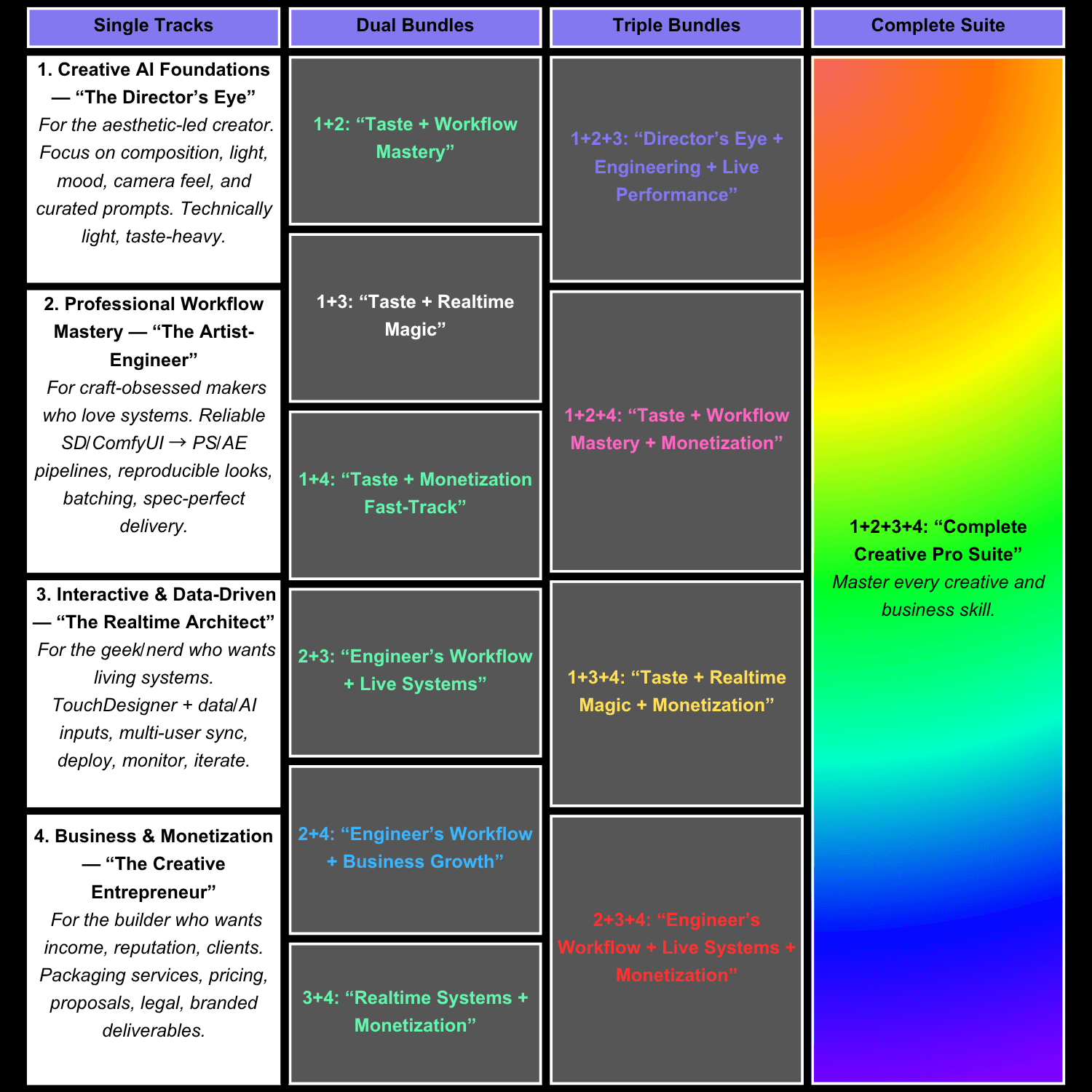
Taste + Workflow Mastery
Taste + Realtime Magic
Taste + Monetization Fast-Track
Engineer’s Workflow + Live Systems
Engineer’s Workflow + Business Growth
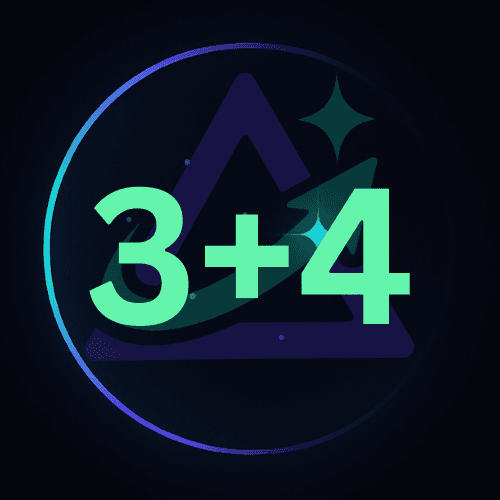
Realtime Systems + Monetization
Taste + Workflow Mastery
Taste + Realtime Magic
Taste + Monetization Fast-Track
Engineer’s Workflow + Live Systems
Engineer’s Workflow + Business Growth
Realtime Systems + Monetization
Taste + Workflow Mastery
Taste + Realtime Magic
Taste + Monetization Fast-Track
Engineer’s Workflow + Live Systems
Engineer’s Workflow + Business Growth
Realtime Systems + Monetization
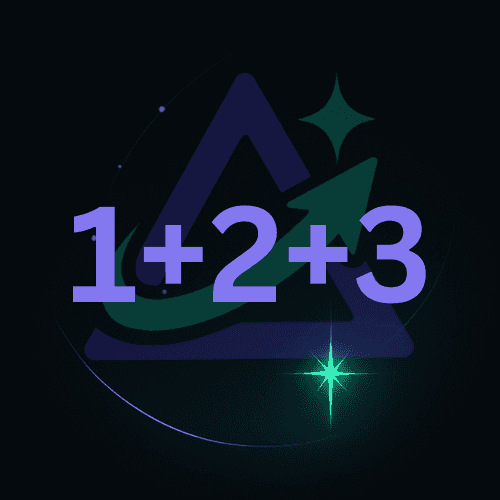
Director’s Eye + Engineering + Live Performance
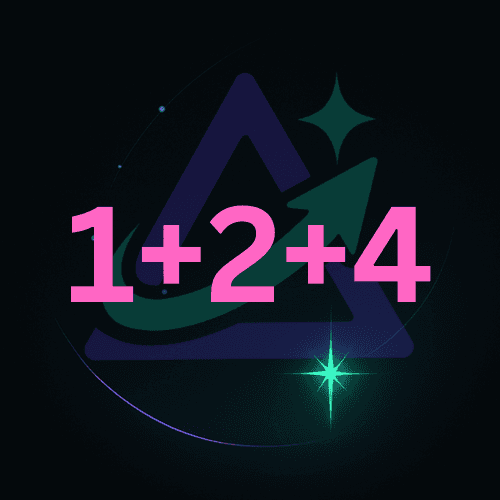
Taste + Workflow Mastery + Monetization
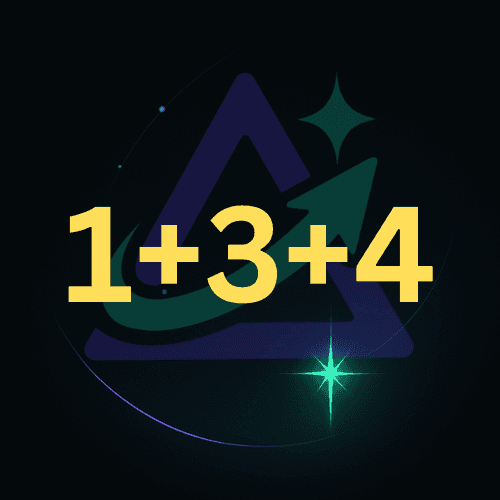
Taste + Realtime Magic + Monetization
Engineer’s Workflow + Live Systems + Monetization
Complete Creative Pro Suite
Director’s Eye + Engineering + Live Performance
Taste + Workflow Mastery + Monetization
Taste + Realtime Magic + Monetization
Engineer’s Workflow + Live Systems + Monetization
Complete Creative Pro Suite
Director’s Eye + Engineering + Live Performance
Taste + Workflow Mastery + Monetization
Taste + Realtime Magic + Monetization
Engineer’s Workflow + Live Systems + Monetization
Complete Creative Pro Suite
Time & Difficulty
Time & Difficulty
Time & Difficulty
Plan your study with a realistic weekly cadence.
Plan your study with a realistic weekly cadence.
Plan your study with a realistic weekly cadence.
Time per Week
Time per Week
Time per Week
Time per Week
Total Duration
Total Duration
Total Duration
Total Duration
Difficulty
Difficulty
Difficulty
Difficulty
Choose Your Path
— Or Master Them All
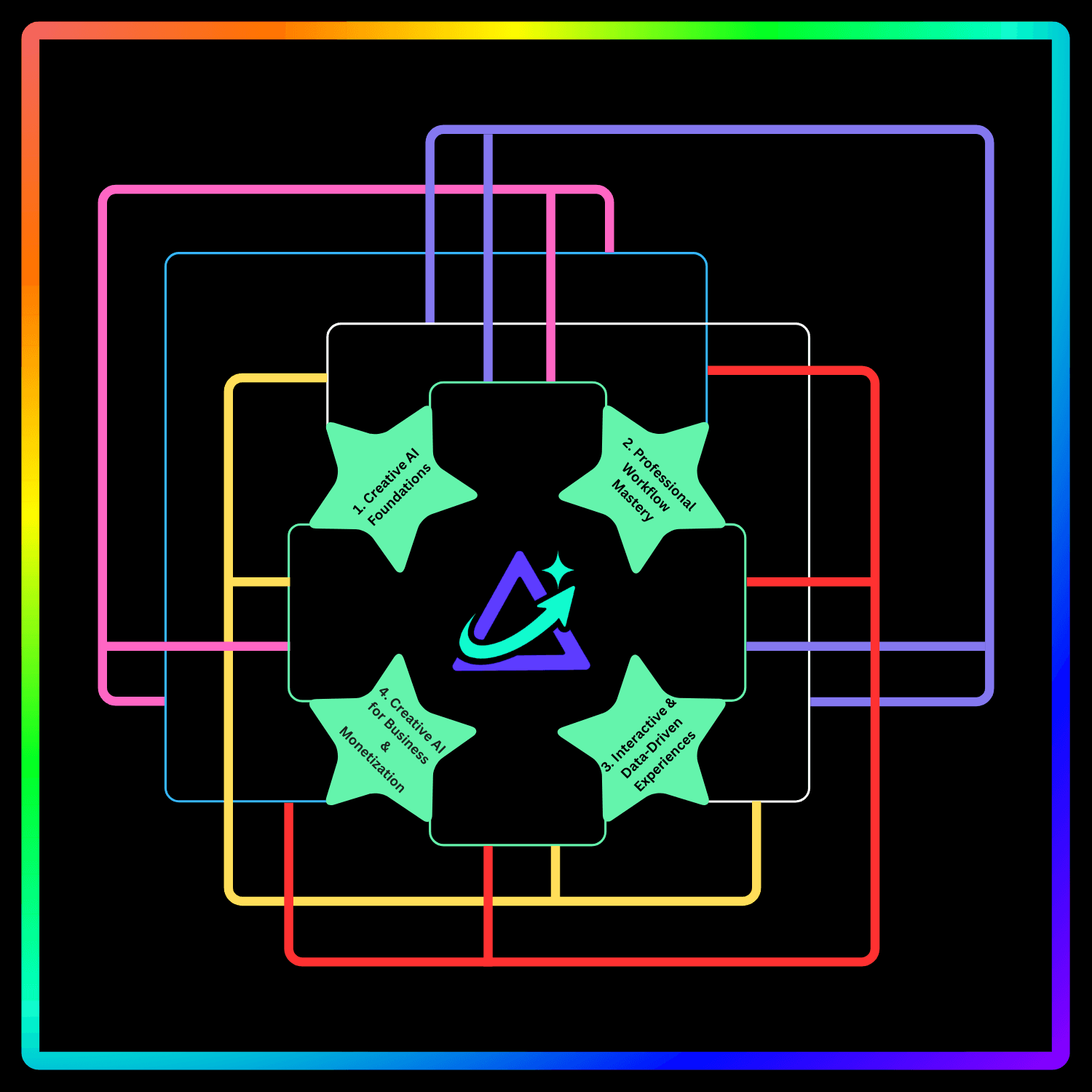
Recommended Order
Recommended Order
Recommended Order
Recommended Order
Master Track:
1 → 2 → 3 → 4
(portfolio + revenue).
A Roadmap of Skills, Bundles, and Mastery Tracks
A Roadmap of Skills, Bundles, and Mastery Tracks
A Roadmap of Skills, Bundles, and
Mastery
Tracks
A Roadmap of Skills, Bundles, and
Mastery
Tracks
Pick a starting path, then stack bundles to accelerate skill, realtime capability, and revenue.
Pick a starting path,
then stack bundles to accelerate
skill, realtime capability, and revenue.
Pick a starting path,
then stack bundles to
accelerate skill, realtime capability, and revenue.
Pick a starting path,
then stack bundles to
accelerate skill, realtime capability, and revenue.
Your Creative Journey in Numbers
Your Creative Journey in Numbers
Your Creative Journey in Numbers
Our learning paths are designed to deliver measurable skills and results. Every milestone is backed by real creative projects, industry-standard tools, and a clear roadmap — so you can see your progress in weeks, not years.
Our learning paths are designed to deliver measurable skills and results. Every milestone is backed by real creative projects, industry-standard tools, and a clear roadmap — so you can see your progress in weeks, not years.
Our learning paths are designed to deliver measurable skills and results. Every milestone is backed by real creative projects, industry-standard tools, and a clear roadmap — so you can see your progress in weeks, not years.
Build portfolio-ready work in under 8 weeks
Master 2+ professional toolchains
From First Lesson to Mastery
Our curriculum is designed for momentum. Learn, apply, and refine your craft through guided projects, expert feedback, and real-world scenarios that prepare you for professional opportunities.
Apply skills in paid client work within 3 months
Complete all four paths for full creative suite mastery
Expand Your Creative Potential
Expand Your Creative Potential
Expand Your Creative Potential
Advance into specialized techniques, collaborative projects, and monetization strategies that turn your skills into a sustainable career.
Advance into specialized techniques, collaborative projects, and monetization strategies that turn your skills into a sustainable career.
Advance into specialized techniques, collaborative projects, and monetization strategies that turn your skills into a sustainable career.
LEARNER OUTCOMES & PREVIEW
Real Projects. Real Proof.
See what AstraLeap learners ship—and preview our upcoming 6-minute film built with the same tool stacks.
LEARNER OUTCOMES & PREVIEW
Real Projects. Real Proof.
See what AstraLeap learners ship—and preview our upcoming 6-minute film built with the same tool stacks.
LEARNER OUTCOMES & PREVIEW
Real Projects. Real Proof.
See what AstraLeap learners ship—and preview our upcoming 6-minute film built with the same tool stacks.
LEARNER OUTCOMES & PREVIEW
Real Projects. Real Proof.
See what AstraLeap learners ship—and preview our upcoming 6-minute film built with the same tool stacks.
Student Film 1 — Inkdrop’s Leap
A rebellious ink drop dives into water, topples a cup, and paints an accidental masterpiece—proof that small ideas can become art.
“Your storyboard + prompt frames turned a doodle into a finished short. I shipped in a week and learned how to polish for a real screening.”
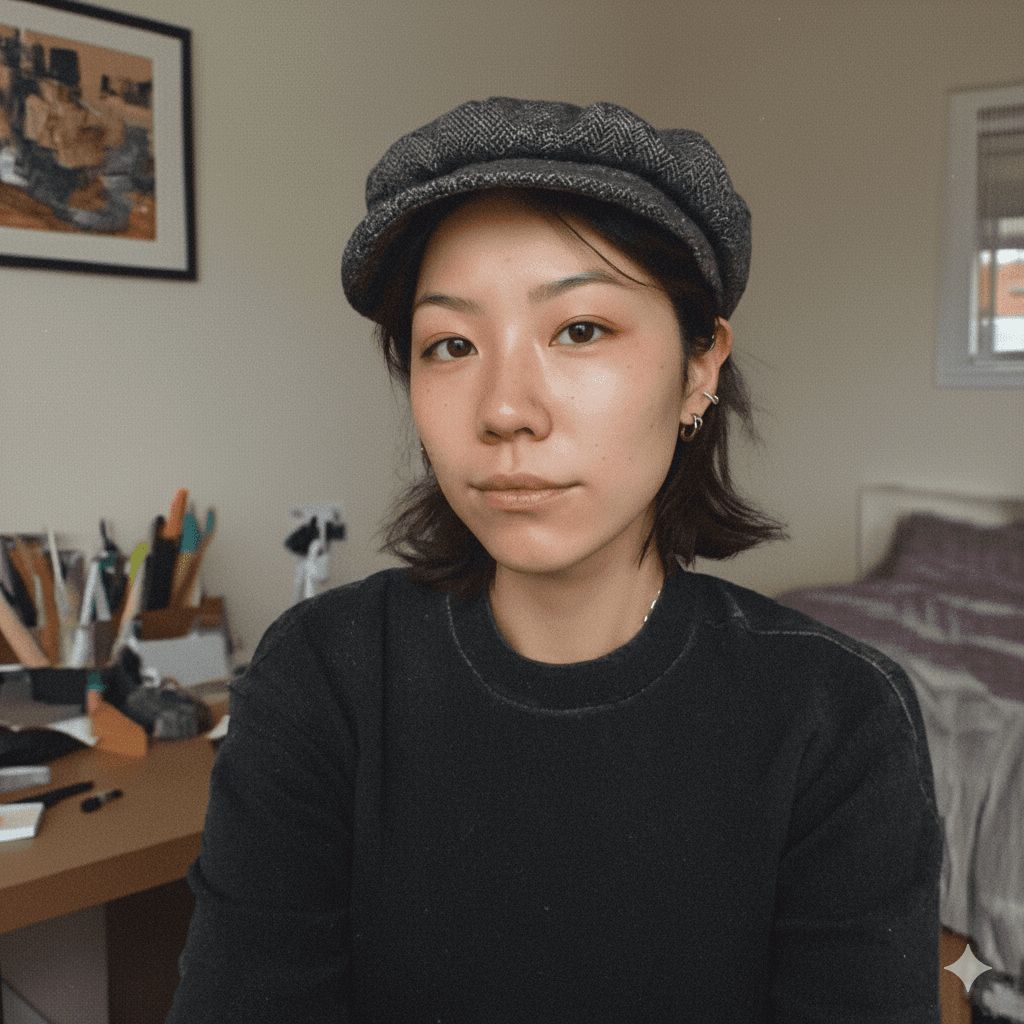
Jia Lin
Visual Comm. Undergrad
Student Film 2 — Exam of Two Worlds
A stressed exam taker slips into a wuxia parallel past, outwitting a general—then snaps back to the proctor’s gaze with new courage.
“I never wrote scripts before. The prompt-to-beats method gave me a story in hours, not days. The Runway shots matched my boards 1:1.”

Jason Wang
High-school filmmaker (gap-year)
Apocalypse-style proof of concept. Built with SDXL/ComfyUI, Runway Gen-3, TouchDesigner, and PS/AE. Submitted to an AIGC festival (under consideration).
AIGC Film Preview
Upcoming Project by AstraLeap AI
Student Film 3 — Farewell by Flute
Two friends of the jianghu talk honor at dusk; one departs, and a lingering flute solo carries all the words unsaid.
“I’m a musician, not a designer. The look-dev + LUTs made my frames feel cinematic. I could publish confidently.”
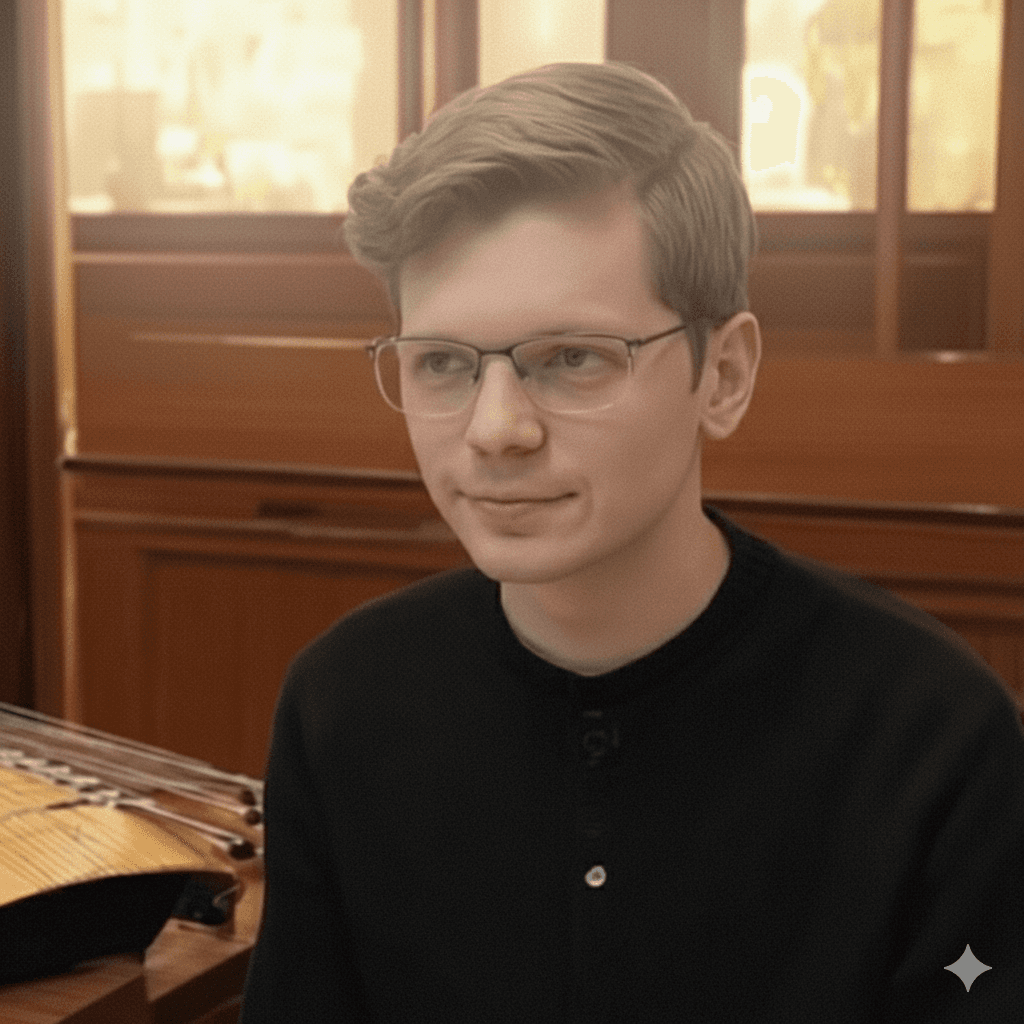
Joseph B.
Music conservatory (guqin/flute)
Student Film 4 — Palace of NPCs
A modern youth inherits a colossal palace and a quirky NPC system—summoning historical figures as staff in a comedy of operations.
“Path 1+2 gave me taste + pipeline. The proposal template helped me pitch a web mini-series with a real budget.”

Faezah Koh
Indie creator (part-time)
PRICING
Simple, Transparent Pricing
Start with the $1 pilot, pick a Path, or bundle everything. Kickstarter backers get lifetime toolkit updates.
PRICING
Simple, Transparent Pricing
Start with the $1 pilot, pick a Path, or bundle everything. Kickstarter backers get lifetime toolkit updates.
PRICING
Simple, Transparent Pricing
Start with the $1 pilot, pick a Path, or bundle everything. Kickstarter backers get lifetime toolkit updates.
PRICING
Simple, Transparent Pricing
Start with the $1 pilot, pick a Path, or bundle everything. Kickstarter backers get lifetime toolkit updates.
FAST PROOF
Pilot
$2
(one-time)
30-minute TouchDesigner projection-mapping pilot. Stoner alignment + UV bake.
Includes:
Pilot
.toeproject fileUV/Remap lock template
Noise color preset
MOST POPULAR
EARLY BIRD
Single Path
$149
(one-time)
Choose one learning path: Foundations, Workflow, Realtime, or Business.
Includes:
Full syllabus + video lessons
Toolkits for that path (graphs, LUTs, actions, checklists)
Community access + updates
BEST VALUE
EARLY BIRD
All-Access
$459
(one-time)
All 4 Paths + all toolkits + bundle bonuses.
Includes:
4 learning paths (Foundations, Workflow, Realtime, Business)
Complete toolkit library + future updates
Portfolio review session (backer bonus)
FAST PROOF
Pilot
$2
(one-time)
30-minute TouchDesigner projection-mapping pilot. Stoner alignment + UV bake.
Includes:
Pilot
.toeproject fileUV/Remap lock template
Noise color preset
MOST POPULAR
EARLY BIRD
Single Path
$149
(one-time)
Choose one learning path: Foundations, Workflow, Realtime, or Business.
Includes:
Full syllabus + video lessons
Toolkits for that path (graphs, LUTs, actions, checklists)
Community access + updates
BEST VALUE
EARLY BIRD
All-Access
$459
(one-time)
All 4 Paths + all toolkits + bundle bonuses.
Includes:
4 learning paths (Foundations, Workflow, Realtime, Business)
Complete toolkit library + future updates
Portfolio review session (backer bonus)
FAST PROOF
Pilot
$2
(one-time)
30-minute TouchDesigner projection-mapping pilot. Stoner alignment + UV bake.
Includes:
Pilot
.toeproject fileUV/Remap lock template
Noise color preset
MOST POPULAR
EARLY BIRD
Single Path
$149
(one-time)
Choose one learning path: Foundations, Workflow, Realtime, or Business.
Includes:
Full syllabus + video lessons
Toolkits for that path (graphs, LUTs, actions, checklists)
Community access + updates
BEST VALUE
EARLY BIRD
All-Access
$459
(one-time)
All 4 Paths + all toolkits + bundle bonuses.
Includes:
4 learning paths (Foundations, Workflow, Realtime, Business)
Complete toolkit library + future updates
Portfolio review session (backer bonus)
FAST PROOF
Pilot
$2
(one-time)
30-minute TouchDesigner projection-mapping pilot. Stoner alignment + UV bake.
Includes:
Pilot
.toeproject fileUV/Remap lock template
Noise color preset
MOST POPULAR
EARLY BIRD
Single Path
$149
(one-time)
Choose one learning path: Foundations, Workflow, Realtime, or Business.
Includes:
Full syllabus + video lessons
Toolkits for that path (graphs, LUTs, actions, checklists)
Community access + updates
BEST VALUE
EARLY BIRD
All-Access
$459
(one-time)
All 4 Paths + all toolkits + bundle bonuses.
Includes:
4 learning paths (Foundations, Workflow, Realtime, Business)
Complete toolkit library + future updates
Portfolio review session (backer bonus)
HELP CENTER
Your Guide to Quick Solutions
Answers to the most common questions about the $1 Pilot, Learning Paths, Toolkits, and Kickstarter.
1. What courses do you offer?
We offer four learning paths you can take individually or as a bundle: 1. Creative AI Foundations — Prompting, storyboards, visual aesthetics. 2. Workflow Mastery — SDXL/ComfyUI pipelines, delivery specs, LUTs. 3. Interactive & Data-Driven — TouchDesigner, sensors/APIs, realtime visuals. 4. Business & Monetization — Proposals, pricing, handover packages. Each path includes lessons + toolkits and is designed to turn skills into finished projects.
2. Are classes live or recorded?
All courses are 100% pre-recorded and optimized for self-paced learning. You can start anytime, learn anywhere, and revisit modules as often as you like — no scheduling stress.
3. Do I need prior AI or design experience?
No. Foundations path starts from zero. • If you’re new, begin with the $1 Pilot or Path 1. • If you’re technical, jump straight to Workflow (Path 2) or Realtime (Path 3). • Path 3 benefits from basic Python familiarity (optional), but we provide starter templates.
4. Will I receive a certificate?
Yes. Complete a course and you’ll receive a digital Certificate of Completion. If your project meets our excellence standards, you can also earn an Honors Certificate.
5. How long will I have access?
Lifetime access is included for all Kickstarter backers. You can revisit lessons, re-download assets, and stay updated with future improvements.
6. What payment methods are accepted?
We accept all major credit cards, PayPal, and secure Kickstarter checkout. Local bank transfer may be available after launch.
7. Can I get a refund if I change my mind?
Kickstarter’s refund policy applies, but we’re committed to quality — if you have concerns, contact us and we’ll work to make it right.
8. Will I get support if I’m stuck?
Yes. You’ll have access to: • Email support • 1-on-1 video call with our experts / instructors • Community chat • Optional Discord mentor channels (for early supporters) • Special group challenges to keep you accountable
9. Is there a deadline to finish?
No deadlines. But we run seasonal creative sprints (like the 88-Day Challenge) so you can stay motivated, build your portfolio, and connect with other learners.
10. What makes AstraLeap different?
Unlike generic AI courses, AstraLeap combines technical skill training with creative direction — helping you not just learn tools, but also build a unique artistic voice.
HELP CENTER
Your Guide to Quick Solutions
Answers to the most common questions about the $1 Pilot, Learning Paths, Toolkits, and Kickstarter.
1. What courses do you offer?
We offer four learning paths you can take individually or as a bundle: 1. Creative AI Foundations — Prompting, storyboards, visual aesthetics. 2. Workflow Mastery — SDXL/ComfyUI pipelines, delivery specs, LUTs. 3. Interactive & Data-Driven — TouchDesigner, sensors/APIs, realtime visuals. 4. Business & Monetization — Proposals, pricing, handover packages. Each path includes lessons + toolkits and is designed to turn skills into finished projects.
2. Are classes live or recorded?
All courses are 100% pre-recorded and optimized for self-paced learning. You can start anytime, learn anywhere, and revisit modules as often as you like — no scheduling stress.
3. Do I need prior AI or design experience?
No. Foundations path starts from zero. • If you’re new, begin with the $1 Pilot or Path 1. • If you’re technical, jump straight to Workflow (Path 2) or Realtime (Path 3). • Path 3 benefits from basic Python familiarity (optional), but we provide starter templates.
4. Will I receive a certificate?
Yes. Complete a course and you’ll receive a digital Certificate of Completion. If your project meets our excellence standards, you can also earn an Honors Certificate.
5. How long will I have access?
Lifetime access is included for all Kickstarter backers. You can revisit lessons, re-download assets, and stay updated with future improvements.
6. What payment methods are accepted?
We accept all major credit cards, PayPal, and secure Kickstarter checkout. Local bank transfer may be available after launch.
7. Can I get a refund if I change my mind?
Kickstarter’s refund policy applies, but we’re committed to quality — if you have concerns, contact us and we’ll work to make it right.
8. Will I get support if I’m stuck?
Yes. You’ll have access to: • Email support • 1-on-1 video call with our experts / instructors • Community chat • Optional Discord mentor channels (for early supporters) • Special group challenges to keep you accountable
9. Is there a deadline to finish?
No deadlines. But we run seasonal creative sprints (like the 88-Day Challenge) so you can stay motivated, build your portfolio, and connect with other learners.
10. What makes AstraLeap different?
Unlike generic AI courses, AstraLeap combines technical skill training with creative direction — helping you not just learn tools, but also build a unique artistic voice.
HELP CENTER
Your Guide to Quick Solutions
Answers to the most common questions about the $1 Pilot, Learning Paths, Toolkits, and Kickstarter.
1. What courses do you offer?
We offer four learning paths you can take individually or as a bundle: 1. Creative AI Foundations — Prompting, storyboards, visual aesthetics. 2. Workflow Mastery — SDXL/ComfyUI pipelines, delivery specs, LUTs. 3. Interactive & Data-Driven — TouchDesigner, sensors/APIs, realtime visuals. 4. Business & Monetization — Proposals, pricing, handover packages. Each path includes lessons + toolkits and is designed to turn skills into finished projects.
2. Are classes live or recorded?
All courses are 100% pre-recorded and optimized for self-paced learning. You can start anytime, learn anywhere, and revisit modules as often as you like — no scheduling stress.
3. Do I need prior AI or design experience?
No. Foundations path starts from zero. • If you’re new, begin with the $1 Pilot or Path 1. • If you’re technical, jump straight to Workflow (Path 2) or Realtime (Path 3). • Path 3 benefits from basic Python familiarity (optional), but we provide starter templates.
4. Will I receive a certificate?
Yes. Complete a course and you’ll receive a digital Certificate of Completion. If your project meets our excellence standards, you can also earn an Honors Certificate.
5. How long will I have access?
Lifetime access is included for all Kickstarter backers. You can revisit lessons, re-download assets, and stay updated with future improvements.
6. What payment methods are accepted?
We accept all major credit cards, PayPal, and secure Kickstarter checkout. Local bank transfer may be available after launch.
7. Can I get a refund if I change my mind?
Kickstarter’s refund policy applies, but we’re committed to quality — if you have concerns, contact us and we’ll work to make it right.
8. Will I get support if I’m stuck?
Yes. You’ll have access to: • Email support • 1-on-1 video call with our experts / instructors • Community chat • Optional Discord mentor channels (for early supporters) • Special group challenges to keep you accountable
9. Is there a deadline to finish?
No deadlines. But we run seasonal creative sprints (like the 88-Day Challenge) so you can stay motivated, build your portfolio, and connect with other learners.
10. What makes AstraLeap different?
Unlike generic AI courses, AstraLeap combines technical skill training with creative direction — helping you not just learn tools, but also build a unique artistic voice.
HELP CENTER
Your Guide to Quick Solutions
Answers to the most common questions about the $1 Pilot, Learning Paths, Toolkits, and Kickstarter.
1. What courses do you offer?
We offer four learning paths you can take individually or as a bundle: 1. Creative AI Foundations — Prompting, storyboards, visual aesthetics. 2. Workflow Mastery — SDXL/ComfyUI pipelines, delivery specs, LUTs. 3. Interactive & Data-Driven — TouchDesigner, sensors/APIs, realtime visuals. 4. Business & Monetization — Proposals, pricing, handover packages. Each path includes lessons + toolkits and is designed to turn skills into finished projects.
2. Are classes live or recorded?
All courses are 100% pre-recorded and optimized for self-paced learning. You can start anytime, learn anywhere, and revisit modules as often as you like — no scheduling stress.
3. Do I need prior AI or design experience?
No. Foundations path starts from zero. • If you’re new, begin with the $1 Pilot or Path 1. • If you’re technical, jump straight to Workflow (Path 2) or Realtime (Path 3). • Path 3 benefits from basic Python familiarity (optional), but we provide starter templates.
4. Will I receive a certificate?
Yes. Complete a course and you’ll receive a digital Certificate of Completion. If your project meets our excellence standards, you can also earn an Honors Certificate.
5. How long will I have access?
Lifetime access is included for all Kickstarter backers. You can revisit lessons, re-download assets, and stay updated with future improvements.
6. What payment methods are accepted?
We accept all major credit cards, PayPal, and secure Kickstarter checkout. Local bank transfer may be available after launch.
7. Can I get a refund if I change my mind?
Kickstarter’s refund policy applies, but we’re committed to quality — if you have concerns, contact us and we’ll work to make it right.
8. Will I get support if I’m stuck?
Yes. You’ll have access to: • Email support • 1-on-1 video call with our experts / instructors • Community chat • Optional Discord mentor channels (for early supporters) • Special group challenges to keep you accountable
9. Is there a deadline to finish?
No deadlines. But we run seasonal creative sprints (like the 88-Day Challenge) so you can stay motivated, build your portfolio, and connect with other learners.
10. What makes AstraLeap different?
Unlike generic AI courses, AstraLeap combines technical skill training with creative direction — helping you not just learn tools, but also build a unique artistic voice.
HELP CENTER
Your Guide to Quick Solutions
Answers to the most common questions about the $1 Pilot, Learning Paths, Toolkits, and Kickstarter.
1. What courses do you offer?
We offer four learning paths you can take individually or as a bundle: 1. Creative AI Foundations — Prompting, storyboards, visual aesthetics. 2. Workflow Mastery — SDXL/ComfyUI pipelines, delivery specs, LUTs. 3. Interactive & Data-Driven — TouchDesigner, sensors/APIs, realtime visuals. 4. Business & Monetization — Proposals, pricing, handover packages. Each path includes lessons + toolkits and is designed to turn skills into finished projects.
2. Are classes live or recorded?
All courses are 100% pre-recorded and optimized for self-paced learning. You can start anytime, learn anywhere, and revisit modules as often as you like — no scheduling stress.
3. Do I need prior AI or design experience?
No. Foundations path starts from zero. • If you’re new, begin with the $1 Pilot or Path 1. • If you’re technical, jump straight to Workflow (Path 2) or Realtime (Path 3). • Path 3 benefits from basic Python familiarity (optional), but we provide starter templates.
4. Will I receive a certificate?
Yes. Complete a course and you’ll receive a digital Certificate of Completion. If your project meets our excellence standards, you can also earn an Honors Certificate.
5. How long will I have access?
Lifetime access is included for all Kickstarter backers. You can revisit lessons, re-download assets, and stay updated with future improvements.
6. What payment methods are accepted?
We accept all major credit cards, PayPal, and secure Kickstarter checkout. Local bank transfer may be available after launch.
7. Can I get a refund if I change my mind?
Kickstarter’s refund policy applies, but we’re committed to quality — if you have concerns, contact us and we’ll work to make it right.
8. Will I get support if I’m stuck?
Yes. You’ll have access to: • Email support • 1-on-1 video call with our experts / instructors • Community chat • Optional Discord mentor channels (for early supporters) • Special group challenges to keep you accountable
9. Is there a deadline to finish?
No deadlines. But we run seasonal creative sprints (like the 88-Day Challenge) so you can stay motivated, build your portfolio, and connect with other learners.
10. What makes AstraLeap different?
Unlike generic AI courses, AstraLeap combines technical skill training with creative direction — helping you not just learn tools, but also build a unique artistic voice.